

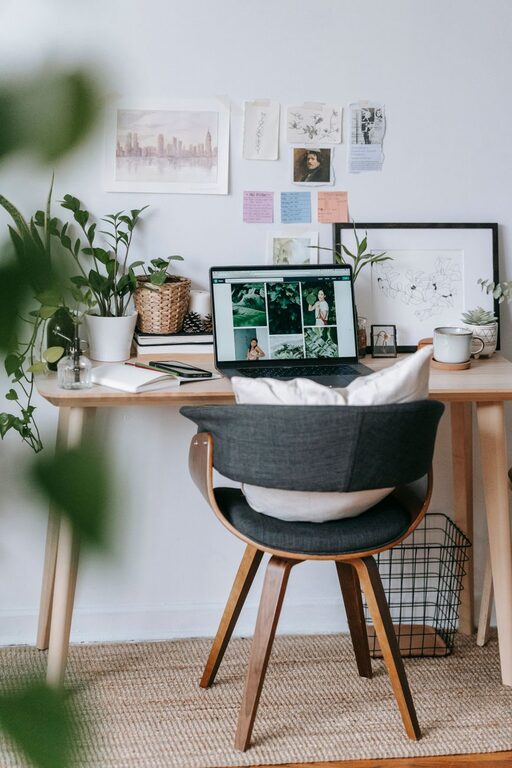
Creating a home office that feels both cozy and productive can make a big difference in your work-from-home experience. Whether you’re setting up a dedicated room or carving out a small nook, a well-designed space helps you stay focused and motivated. Here are friendly, practical tips to help you create an inviting and efficient home office.
Choose the Right Location
Where you set up your office can influence how comfortable and productive you feel.
– Natural Light: Try to position your desk near a window to benefit from natural daylight. It reduces eye strain and lifts your mood. If natural light is limited, invest in good quality lighting.
– Quiet Corner: Pick a spot away from noisy areas like the kitchen or living room TV. A quiet space helps you concentrate better.
– Space Considerations: Even a small area can become a great office with the right furniture and layout.
Invest in Comfortable Furniture
Comfort is key when you spend hours at your desk.
– Ergonomic Chair: Choose a chair that supports your back and encourages good posture to avoid discomfort.
– Appropriate Desk Height: Your desk should suit your height and allow comfortable arm positioning.
– Adjustable Options: Consider adjustable chairs or desks to customize your setup as needed.
Organize for Efficiency
A clutter-free space promotes clear thinking and productivity.
– Storage Solutions: Use shelves, drawers, or filing cabinets to keep supplies and documents tidy.
– Desk Organization: Limit items on your desk to essentials like your computer, a notepad, and a few personal items.
– Cable Management: Use clips or ties to keep cords organized and avoid tangles.
Personalize Your Space
Adding personal touches makes your office feel inviting and motivates you.
– Decor: Incorporate colors and artwork that inspire you without causing distractions.
– Plants: Adding greenery can improve air quality and bring a calming effect.
– Comfort Items: A cozy rug, throw blanket, or soft lighting can make your space more welcoming.
Optimize Lighting
Good lighting reduces eye strain and boosts productivity.
– Task Lighting: Use a desk lamp with adjustable brightness for focused work.
– Ambient Lighting: Combine overhead lights with softer lamps to create a balanced atmosphere.
– Avoid Glare: Position screens and light sources to prevent glare on your monitor.
Set Boundaries and Establish a Routine
Creating work-life balance is important when working from home.
– Work Hours: Set specific start and end times to your workday.
– Break Space: Designate another area for breaks to physically separate work and rest.
– Minimize Distractions: Use noise-canceling headphones or background music to help focus.
Use Technology Wisely
Having the right tools supports your workflow.
– Reliable Internet: Ensure your connection is strong enough for video calls and online tasks.
– Essential Devices: Invest in good quality equipment like a keyboard, mouse, and webcam.
– Apps and Tools: Utilize productivity apps to manage tasks and communications efficiently.
Keep It Flexible and Adaptable
Your needs may change over time, so make the space easy to update.
– Modular Furniture: Choose pieces that can be rearranged or added to as needed.
– Multi-purpose Areas: Design your office to serve different functions, such as reading, meetings, or brainstorming.
– Regular Refresh: Periodically review your office setup and make adjustments to maintain comfort and efficiency.
Final Thoughts
Designing a home office that feels cozy and helps you stay productive is all about balance. Paying attention to comfort, organization, and personalization will create a space where you look forward to working each day. Start small, and gradually build a workspace that truly supports your needs and lifestyle.